
Stop Guessing: How to Choose AI Estimating Software That Actually Works

Dhyna PhilsHead of Marketing
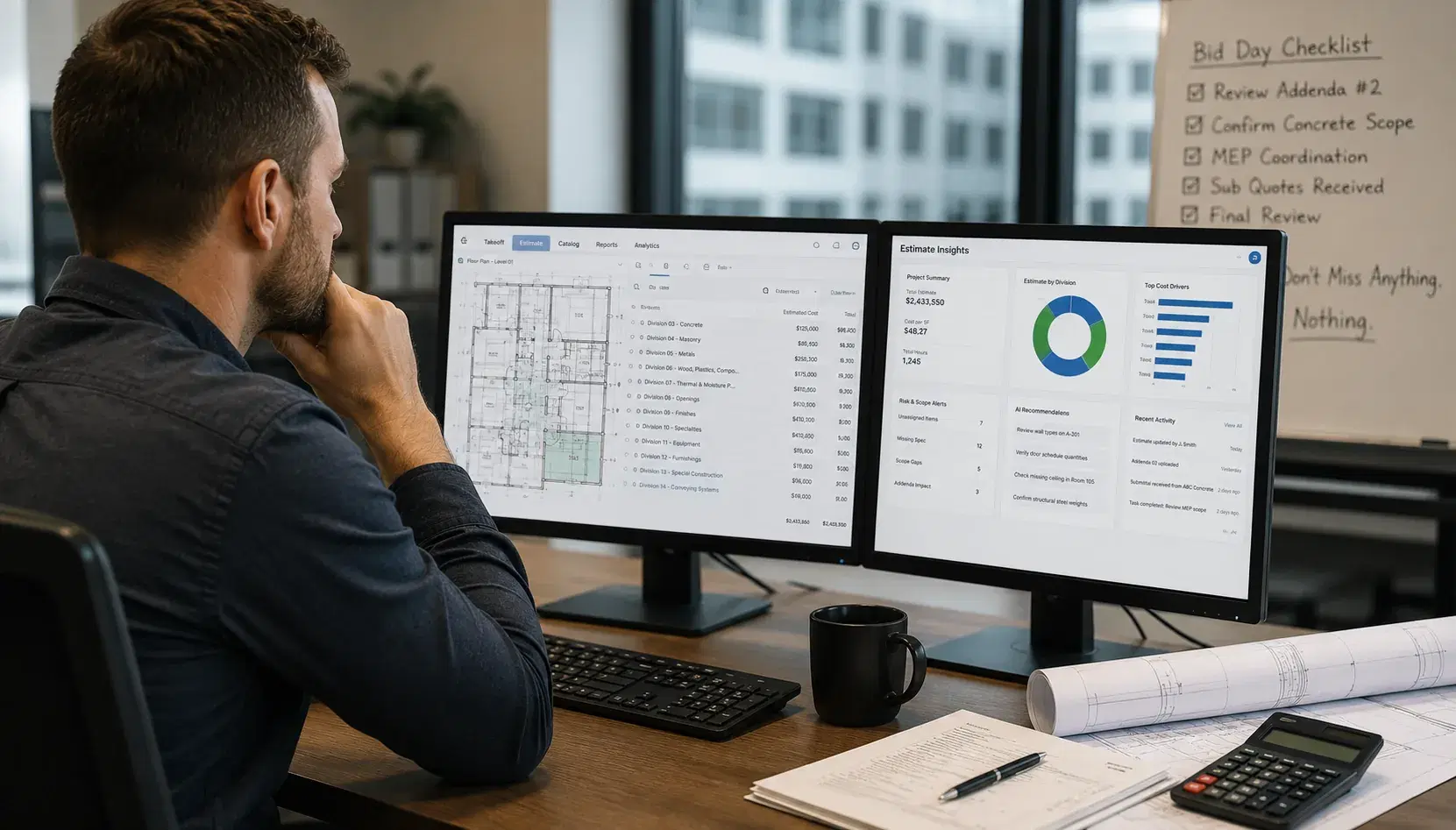
Construction technology vendors have placed artificial intelligence at the center of nearly every software pitch. One platform promises faster takeoffs, another promotes automated pricing, and a third claims it can identify scope risk before an estimator catches it. Those capabilities can create real value, but the AI label alone does not tell you whether a product will work for your team.
Choosing the right AI estimating software starts with a more practical question: what needs to improve inside your current estimating process? A platform can look impressive during a polished demonstration and still create more work once it reaches the field. Speed means little if outputs cannot be verified, collaboration remains scattered, or estimators have to rebuild their process around rigid software.
The strongest choice will fit the way your team estimates while improving the parts that cause delays, inconsistencies, and bid risk. It should help experienced estimators make better decisions rather than burying their judgment beneath automation. It should also create a clearer record of how each number, assumption, and scope decision reached the final bid.
Start With The Problems Your Estimating Team Needs To Solve
Software selection often begins with a list of products. That is backward. Your first step should be documenting where estimating work slows down, breaks apart, or depends too heavily on individual memory.
Talk with estimators, preconstruction managers, project managers, and operations leaders. Ask them where they lose time, which tasks require repeated data entry, and what creates the most stress before bid submission. Their answers will give you a better evaluation framework than any vendor comparison chart.
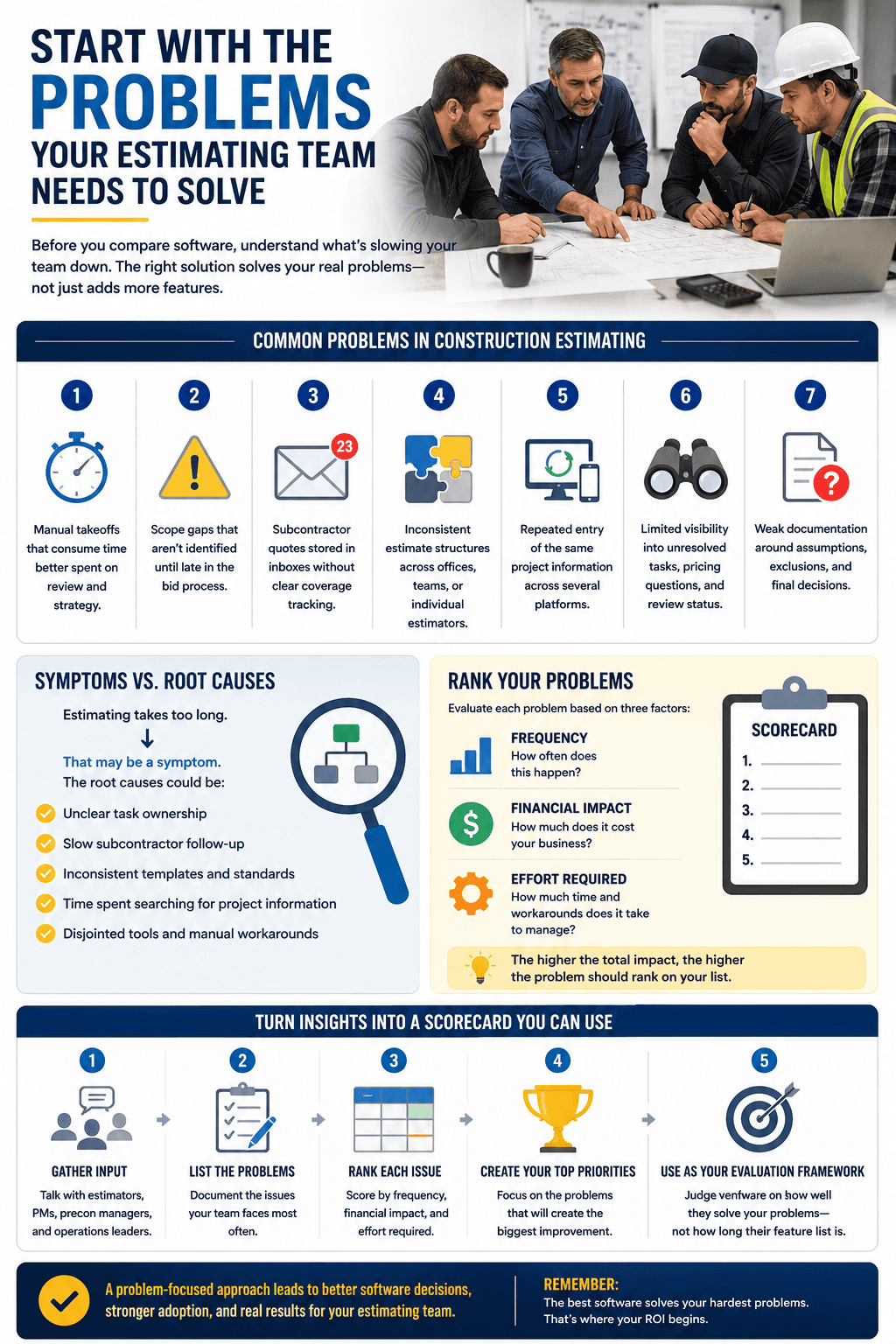
Common problems include:
- Manual takeoffs that consume time better spent on review and strategy.
- Scope gaps that are not identified until late in the bid process.
- Subcontractor quotes stored in inboxes without clear coverage tracking.
- Inconsistent estimate structures across offices, teams, or individual estimators.
- Repeated entry of the same project information across several platforms.
- Limited visibility into unresolved tasks, pricing questions, and review status.
- Weak documentation around assumptions, exclusions, and final decisions.
Separate symptoms from root causes, then rank each issue by frequency, financial impact, and management effort. That ranked list becomes your scorecard. Vendors should be judged on how well they solve those problems, not how many features appear on a pricing page.
Decide Which AI Capabilities Have Practical Value
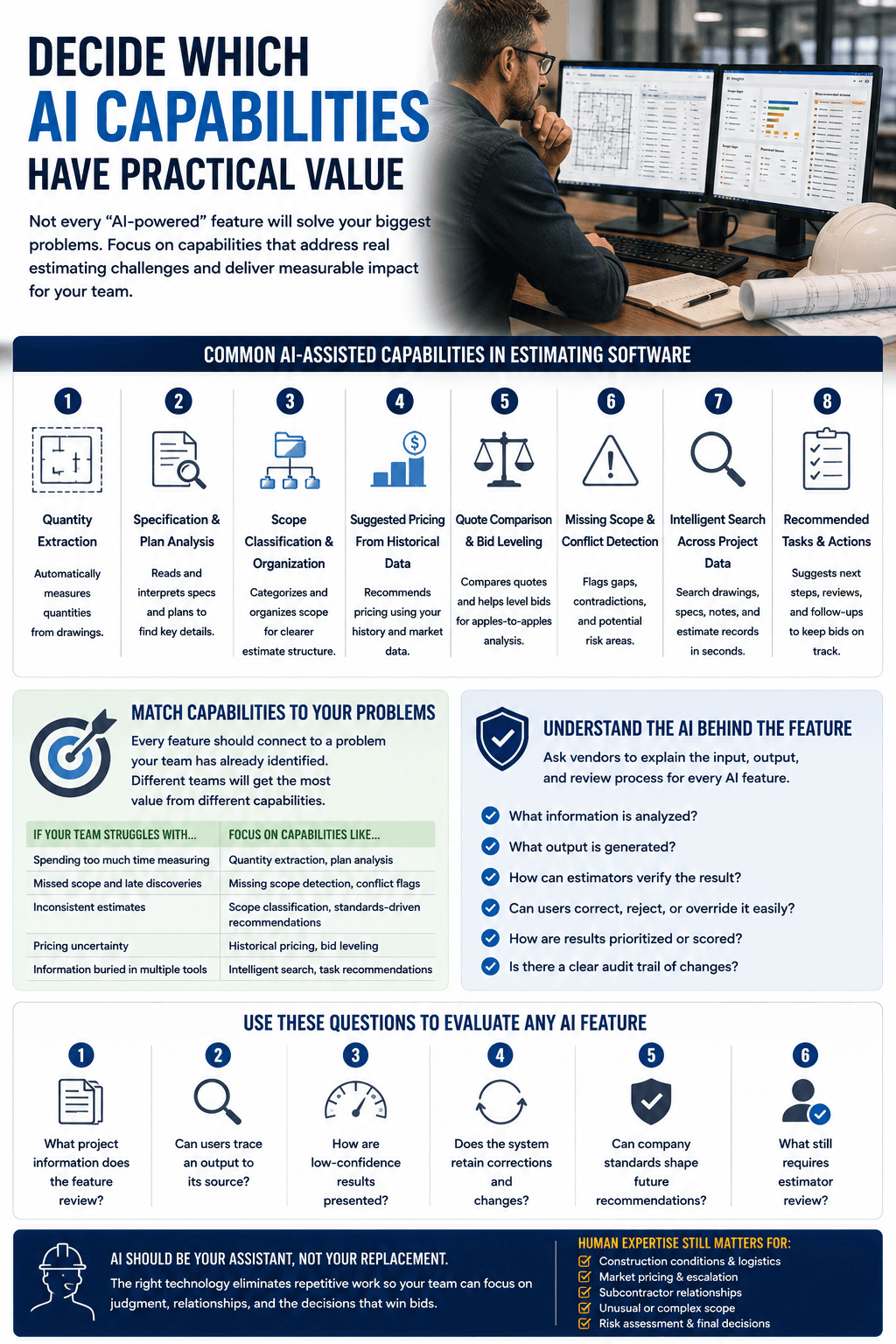
The phrase “AI-powered” can refer to very different tools. Some platforms automate narrow tasks, while others analyze scope, recommend actions, or compare data across an entire estimate. Buyers need to understand exactly what each feature does before treating competing claims as equal.
- Quantity extraction from drawings.
- Specification and plan analysis.
- Scope classification and organization.
- Suggested pricing based on historical data.
- Quote comparison and bid leveling.
- Detection of missing scope or conflicting information.
- Search across project data.
- Recommended tasks, reviews, and follow-ups.
Ask vendors to explain the input, output, and review process behind every AI feature. Estimators should be able to verify sources and correct, reject, or override recommendations without fighting the system.
- What project information does the feature review?
- Can users trace an output to its source?
- How are low-confidence results presented?
- Does the system retain corrections and changes?
- Can company standards shape future recommendations?
- What still requires estimator review?
Look Beyond Faster Takeoffs And Pricing
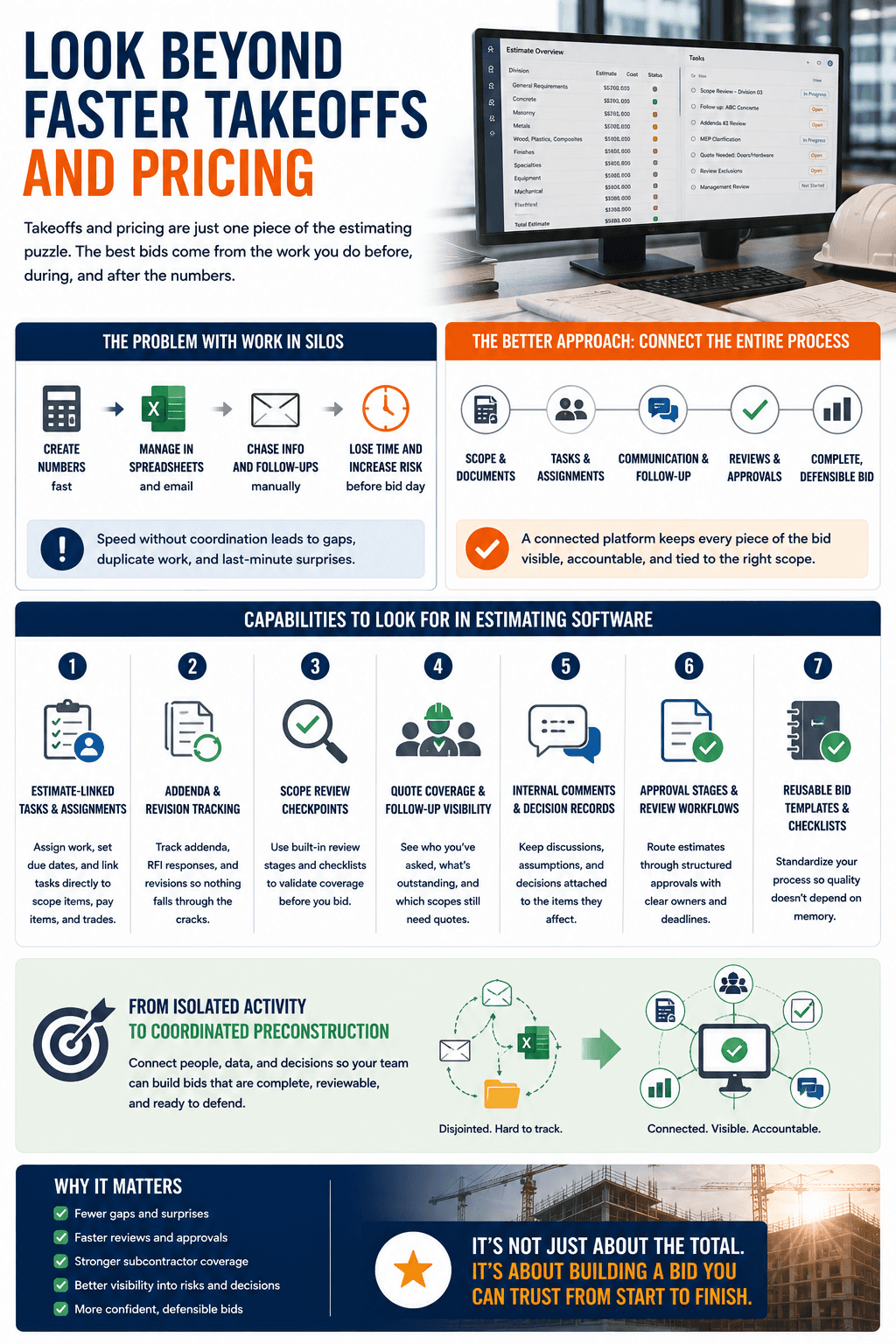
Takeoff and pricing are important, but they are not the entire estimating process. A bid also depends on scope review, quote follow-up, addenda tracking, clarification management, internal approvals, exclusions, alternates, and final risk decisions.
A stronger platform connects the estimate with the work surrounding it. Tasks should tie back to scope items, pay items, files, contacts, and review stages. Open questions and subcontractor coverage should remain visible where estimators make decisions.
- Estimate-linked tasks and assignments.
- Addenda and revision tracking.
- Scope review checkpoints.
- Quote coverage and follow-up visibility.
- Internal comments and decision records.
- Approval stages and review workflows.
- Reusable bid templates and checklists.
Evaluate Accuracy, Traceability, And Human Oversight
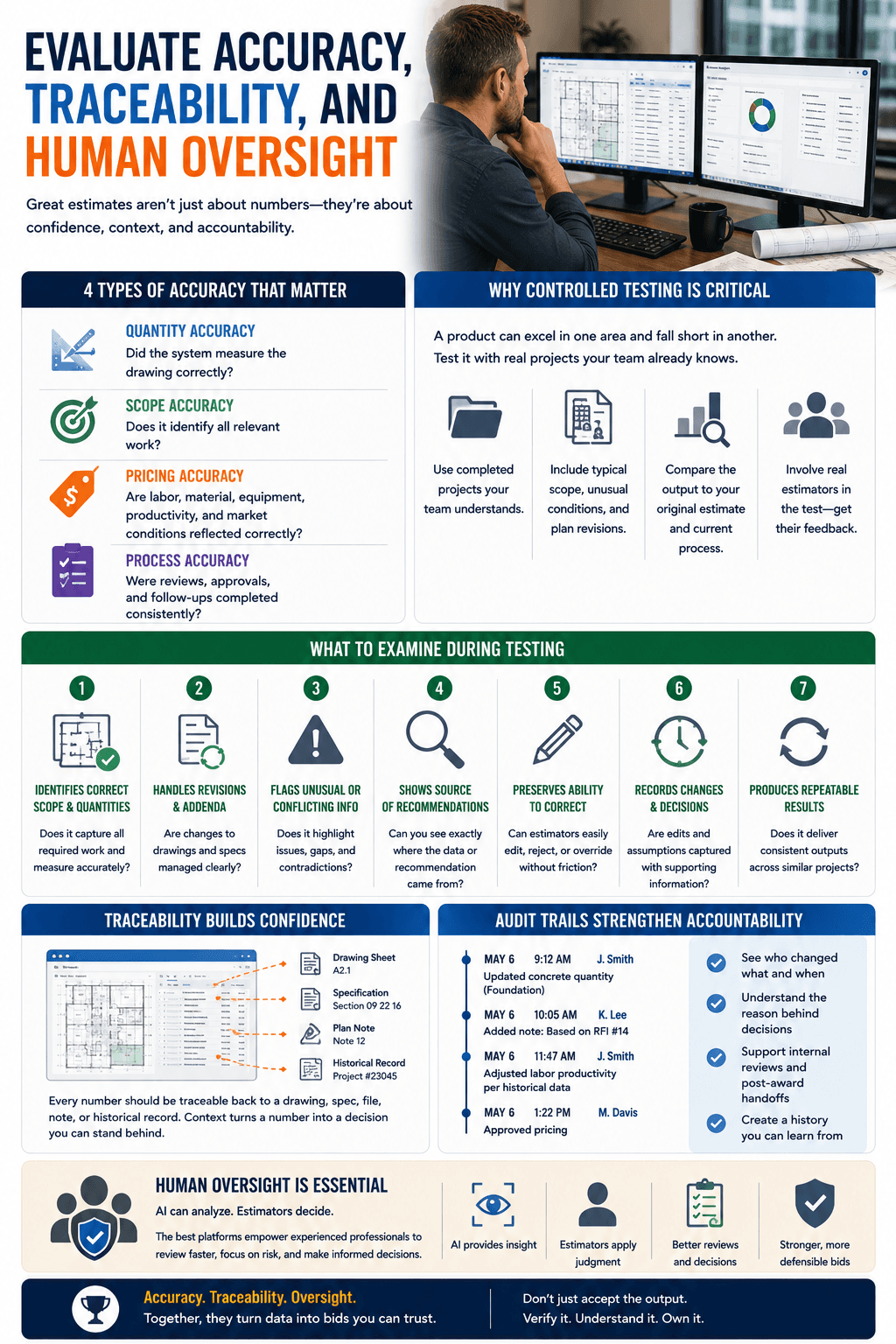
Accuracy is one of the most common promises in estimating software, yet several types matter: quantity accuracy, scope accuracy, pricing accuracy, and process accuracy. A product may perform well in one category and poorly in another, which is why controlled testing matters.
Use completed projects your team understands. Include typical scope, unusual conditions, plan revisions, and known challenges. Compare the platform output against the original estimate and your current process.
- Identifies the correct scope and quantities.
- Handles revised drawings and addenda clearly.
- Flags unusual or conflicting information.
- Shows where recommendations came from.
- Preserves the estimator’s ability to make corrections.
- Records changes and supporting decisions.
- Produces repeatable results across similar projects.
Traceability and audit trails build confidence and accountability. Human oversight is not a weakness; it shows that the platform respects the complexity of estimating while keeping final responsibility with qualified professionals.
Make Sure The Platform Fits Your Existing Workflow
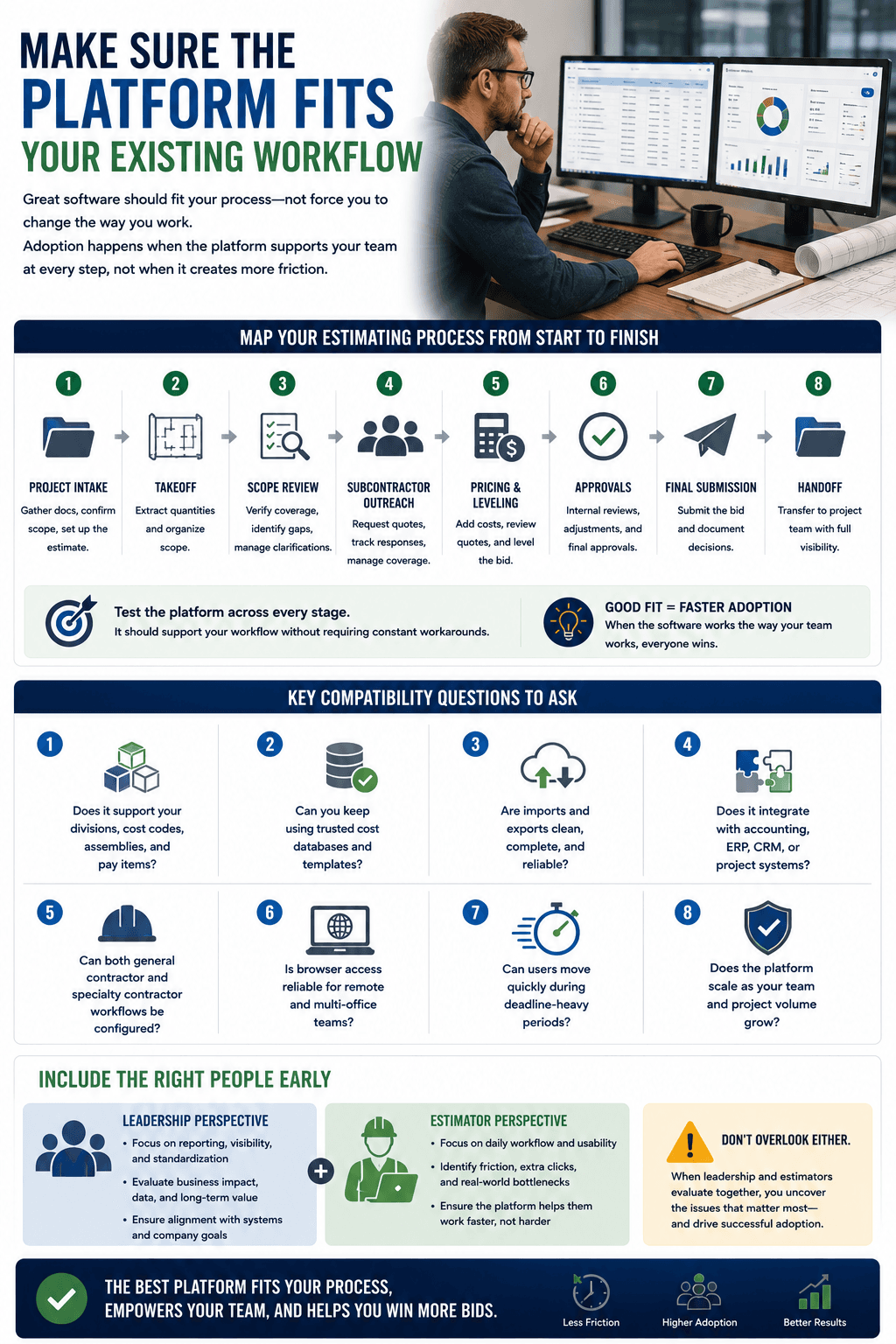
A technically impressive product can still fail if it does not fit the way your organization works. Map your process from intake through takeoff, scope review, subcontractor outreach, pricing, leveling, approvals, submission, and handoff.
- Does it support your divisions, cost codes, assemblies, and pay items?
- Can you keep using trusted cost databases and templates?
- Are imports and exports clean and complete?
- Does it integrate with accounting, ERP, CRM, or project systems?
- Can general and specialty contractor workflows be configured?
- Is browser access reliable for remote and multi-office teams?
- Can users move quickly during deadline-heavy periods?
Bring working estimators into the buying process early. Leadership may focus on reporting and standardization, while estimators notice usability problems during real work. Both views matter.
Compare Collaboration, Standardization, And Visibility
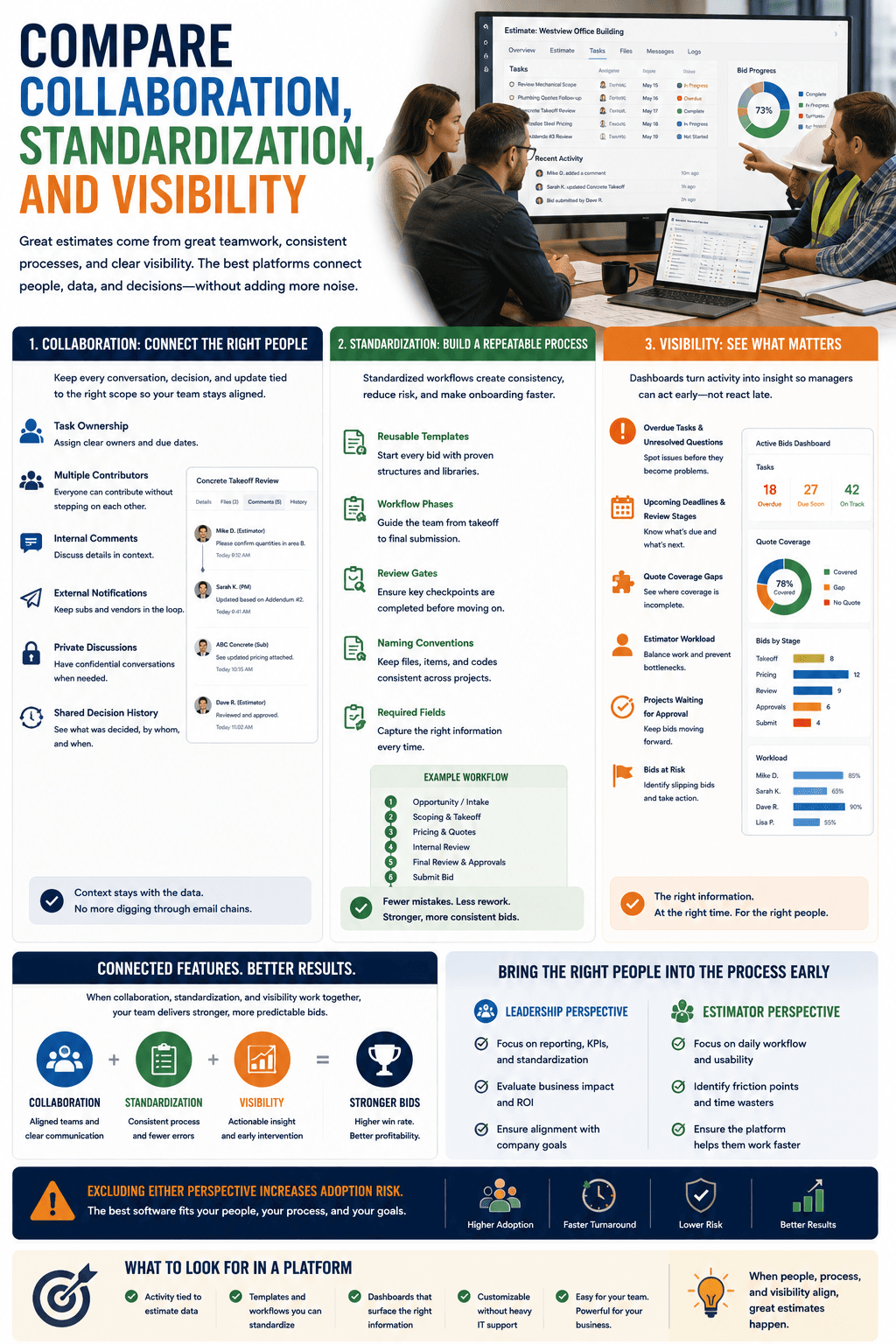
Look for task ownership, multiple contributors, internal comments, external notifications, private discussions, and shared decision history. The strongest collaboration features keep activity connected to estimate data.
Standardization is equally important. Reusable templates, workflow phases, review gates, naming conventions, and required fields help teams follow a consistent process.
- Overdue tasks and unresolved questions.
- Upcoming deadlines and review stages.
- Quote coverage gaps.
- Estimator workload.
- Projects waiting for approval.
- Bids at risk of slipping.
Review Pricing, Implementation, And Long-Term Value
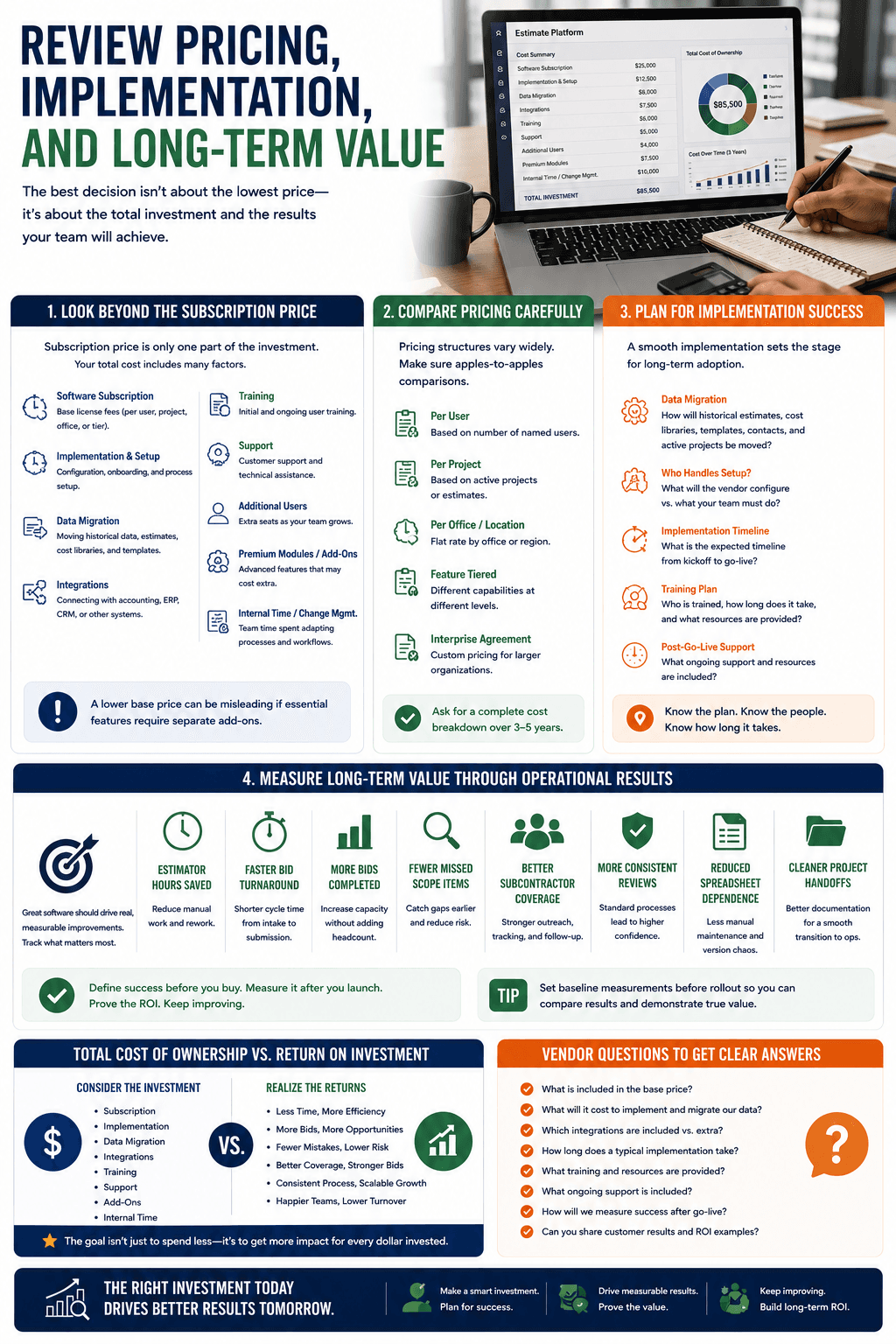
Subscription price is only one part of the investment. The full cost can include setup, data migration, integrations, training, support, additional users, premium modules, and internal change-management time.
Ask vendors for a clear breakdown of what is included. Compare pricing structures carefully and plan for implementation success.
- Estimator hours saved.
- Faster bid turnaround.
- More bids completed with the same team.
- Fewer missed scope items.
- Better subcontractor coverage.
- More consistent reviews.
- Reduced spreadsheet dependence.
- Cleaner project handoffs.
Questions To Ask During A Software Demo
Treat the demo as a working session. Share a representative project and ask the vendor to complete real actions live.
- Can you show how the platform reviews an actual drawing set?
- How does it handle addenda and document revisions?
- Can users verify each AI-generated output?
- How are missing scope and contradictions flagged?
- Can tasks connect directly to estimate items?
- How does subcontractor follow-up work?
- What information appears in the audit trail?
- Can our templates and cost structures be imported?
- How long does implementation take?
- What training and support are included?
Common Software Selection Mistakes To Avoid
- Choosing based on the longest feature list.
- Testing only clean or simple projects.
- Focusing on takeoff speed while ignoring scope review.
- Leaving estimators out of the decision.
- Accepting AI claims without asking how results are verified.
- Ignoring migration, integration, and support costs.
- Purchasing complexity the team will not use.
- Launching without training or success metrics.
- Assuming adoption will happen automatically.
Choose A Platform That Strengthens The Estimate
The best AI estimating software will not simply make one task faster. It will help your team create bids that are more complete, consistent, traceable, and easier to review. Start with operational problems, test with real project data, and involve the people who will use the platform every day.
QuoteGoat brings AI-assisted estimating, scope intelligence, task management, and bid coordination into one connected environment. Request a demo and bring a real project so your team can see how the platform handles the risks and decisions that shape your bids.