
Construction Estimating Software Comparison: How Contractors Choose The Right Estimating System

Dhyna PhilsHead of Marketing
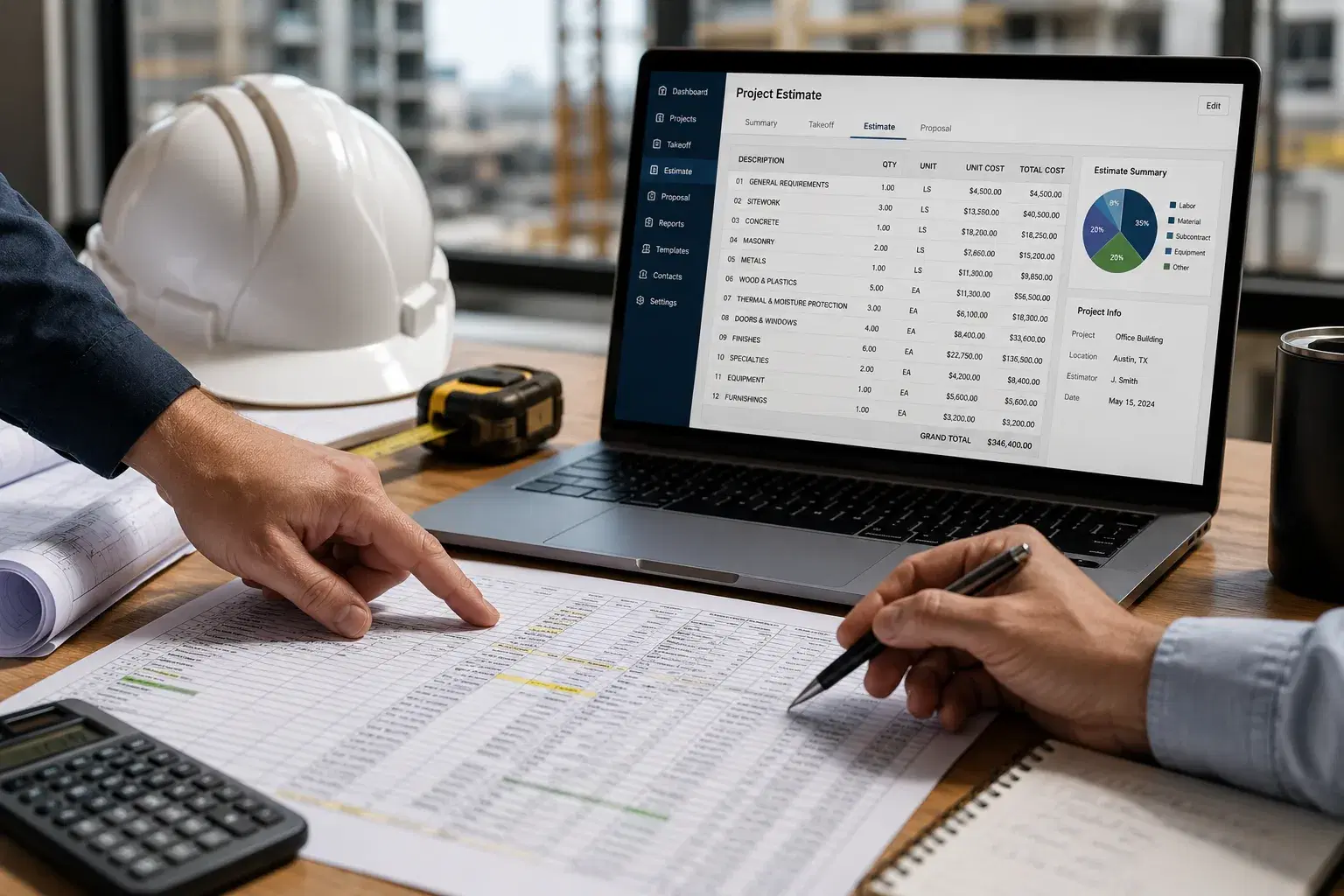
Contractors do not compare estimating software because they want another login. They compare it because the current process slows bids, leads to missed details, and makes estimates harder to trust. Spreadsheets, manual takeoffs, disconnected proposal templates, email follow-ups, and scattered project files can work for a while. Once lead volume grows or project complexity increases, that old setup starts costing more than it saves.
A smart construction estimating software comparison should look beyond price, feature lists, and polished demos. The better question is whether the system supports the way the company actually estimates work. That includes plan review, takeoff, pricing assumptions, scope notes, exclusions, proposal creation, revisions, task ownership, customer follow-up, and final review. The best tool is not always the one with the longest feature list. It is the one that helps contractors build better bids with less chaos.
Why Estimating Software Choices Are Getting More Complicated
Contractors have more estimating software options than ever. Some teams still rely on spreadsheets. Others use traditional takeoff tools, proposal builders, estimating databases, AI-supported platforms, or broader construction management systems with built-in estimating features. On the surface, many of these tools sound similar. In daily use, they can feel completely different.
That makes comparison harder. A tool may look clean in a demo but fall apart when the team uploads real project documents, handles revisions, tracks pricing, or requires multiple people to work on the same bid. Another tool may be familiar and controlled, but too manual to keep up with faster bid windows. Contractors need to compare based on the pressure points they actually feel.
Most estimating teams are trying to solve a few practical problems:
- Contractors need faster estimates without weaker review.
- Scope clarity matters as much as the final number.
- Pricing assumptions need to be easier to check.
- Task ownership becomes harder when multiple people touch the estimate.
- Proposal quality can affect customer trust and close rates.
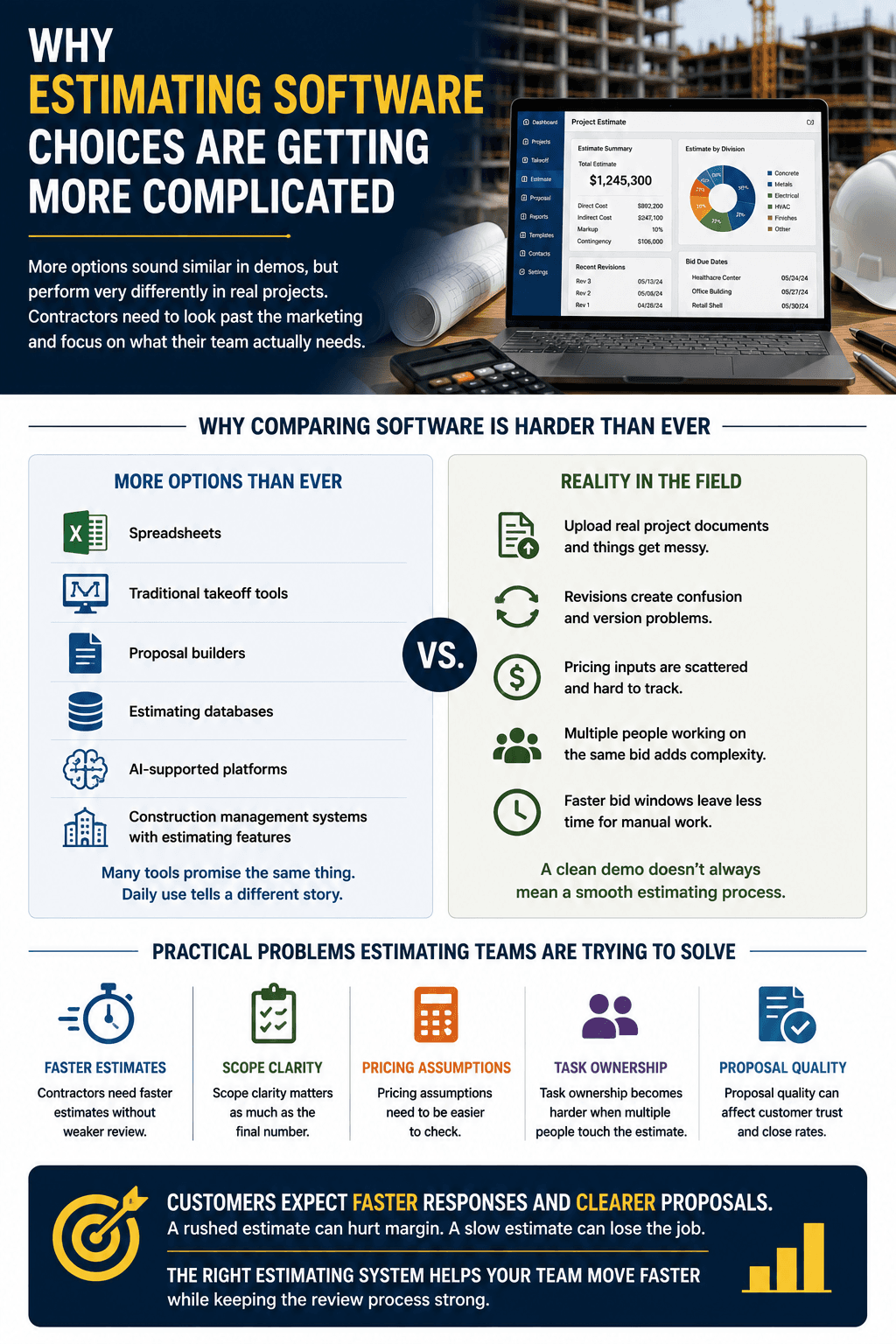
This is especially true as customers expect faster responses and clearer proposals. A rushed estimate can hurt margin. A slow estimate can lose the job. The right estimating system should help the team move faster while maintaining a strong review process.
The Main Types Of Construction Estimating Software
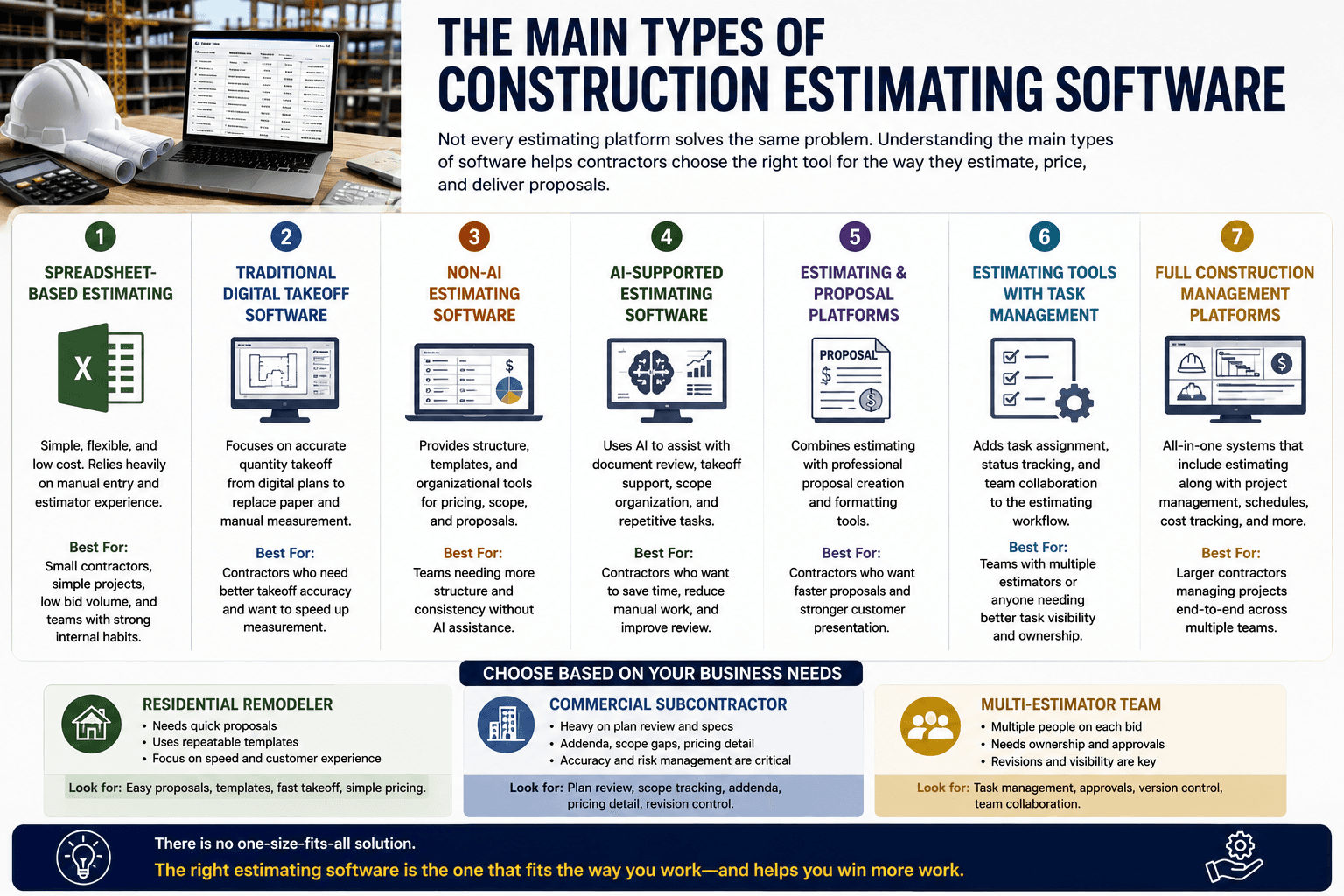
Before comparing tools, contractors need to understand what type of system they are actually looking at. Not every estimating platform solves the same problem. Some focus on takeoff. Some focus on proposal formatting. Some support pricing databases. Some help with AI-assisted review. Some try to manage the whole estimating workflow from lead intake to follow-up.
The main categories include: Spreadsheet-based estimating. Traditional digital takeoff software. Non-AI estimating software. AI-supported estimating software. Estimating and proposal platforms. Estimating tools with task management. Full construction management platforms with estimating features. A spreadsheet can work for contractors with simple projects, low volume, and strong internal habits. Traditional takeoff tools can help teams move away from paper plans and manual measurement. Non-AI estimating tools can provide structure, templates, and organizational tools for pricing. AI-supported platforms can help with document review, takeoff support, scope organization, and repetitive workflow tasks.
The right fit depends on the contractor. A residential remodeler may need to create proposals quickly and use repeatable estimate templates. A commercial subcontractor may care more about plan review, addenda tracking, scope gaps, and pricing detail. A multi-estimator team may need ownership, approvals, revisions, and task visibility more than anything else.
Comparison Table: AI Vs Non-AI Estimating Tools
AI-supported tools and non-AI tools can both help contractors estimate more accurately, but they typically support the process in different ways. The comparison should not be framed as one being automatically right and the other being wrong. It should be framed around workflow fit.
| Feature Or Workflow Area | AI Estimating Tools | Non-AI Estimating Tools | What Contractors Should Consider |
|---|---|---|---|
| Plan review | Can help organize documents and surface key details. | Relies more on manual review and estimator memory. | Large plan sets and frequent revisions may benefit from AI support. |
| Quantity takeoff | Can assist with first-pass quantities and takeoff organization. | Often requires more manual measurement and counting. | Estimators still need to validate quantities either way. |
| Scope gap detection | Can help flag missing, unclear, or conflicting scope details. | Depends on manual checklists and experience. | Scope review matters more than speed alone. |
| Pricing assumption review | Can help make assumptions easier to see and compare. | May keep pricing logic inside templates or spreadsheets. | Pricing data still needs contractor review. |
| Proposal creation | Can help carry estimate details into clearer proposal workflows. | May require more formatting and manual transfer. | Proposal quality affects customer confidence. |
| Revisions | Can keep changes more organized when workflows are built well. | May require duplicated files or manual version tracking. | Revision control is important for active bids. |
| Task management | Often connects tasks to estimate stages and team ownership. | May rely on emails, notes, or outside tools. | Multi-person estimating teams need visible ownership. |
| Learning from past estimates | Can help identify patterns from historical data. | Usually depends on manual review and reporting. | Past mistakes should improve future estimates. |
| Human review and control | Still requires estimator approval before submission. | Gives direct manual control throughout. | Control matters in both workflows. |
| Best-fit use case | Teams needing faster, cleaner, more structured estimating workflows. | Teams with simple, stable, well-controlled estimating habits. | The best choice depends on pain points, volume, and team structure. |
The biggest difference between AI vs non-AI estimating tools is not whether people still review the estimate. They do. The difference lies in how much of the repetitive work, document organization, scope review support, and workflow visibility the software can handle before the estimator makes the final call.
What AI Estimating Tools Do Better
AI estimating tools are most effective when they reduce manual effort. Estimators spend a lot of time on work that has to be done but does not always require their highest judgment. Measuring, counting, checking repeated details, organizing files, comparing notes, and rebuilding proposal sections all take time. AI can help create a stronger first pass so estimators can focus more attention on the decisions that protect margin.
AI can support estimating teams by helping with document organization, takeoff support, scope review, quantity extraction, proposal structure, and workflow consistency. This can be especially useful when bid deadlines are tight or the team is managing several opportunities at once. The software does not make the contractor’s decision. It helps make the decision easier to review.
AI estimating tools can help teams in several ways:
- AI can reduce repetitive measuring and counting.
- AI can help organize documents, notes, specs, and addenda.
- AI can make scope gaps easier to spot before bid day.
- AI can help teams create more consistent proposal workflows.
- AI can support faster reviews without removing estimator judgment.
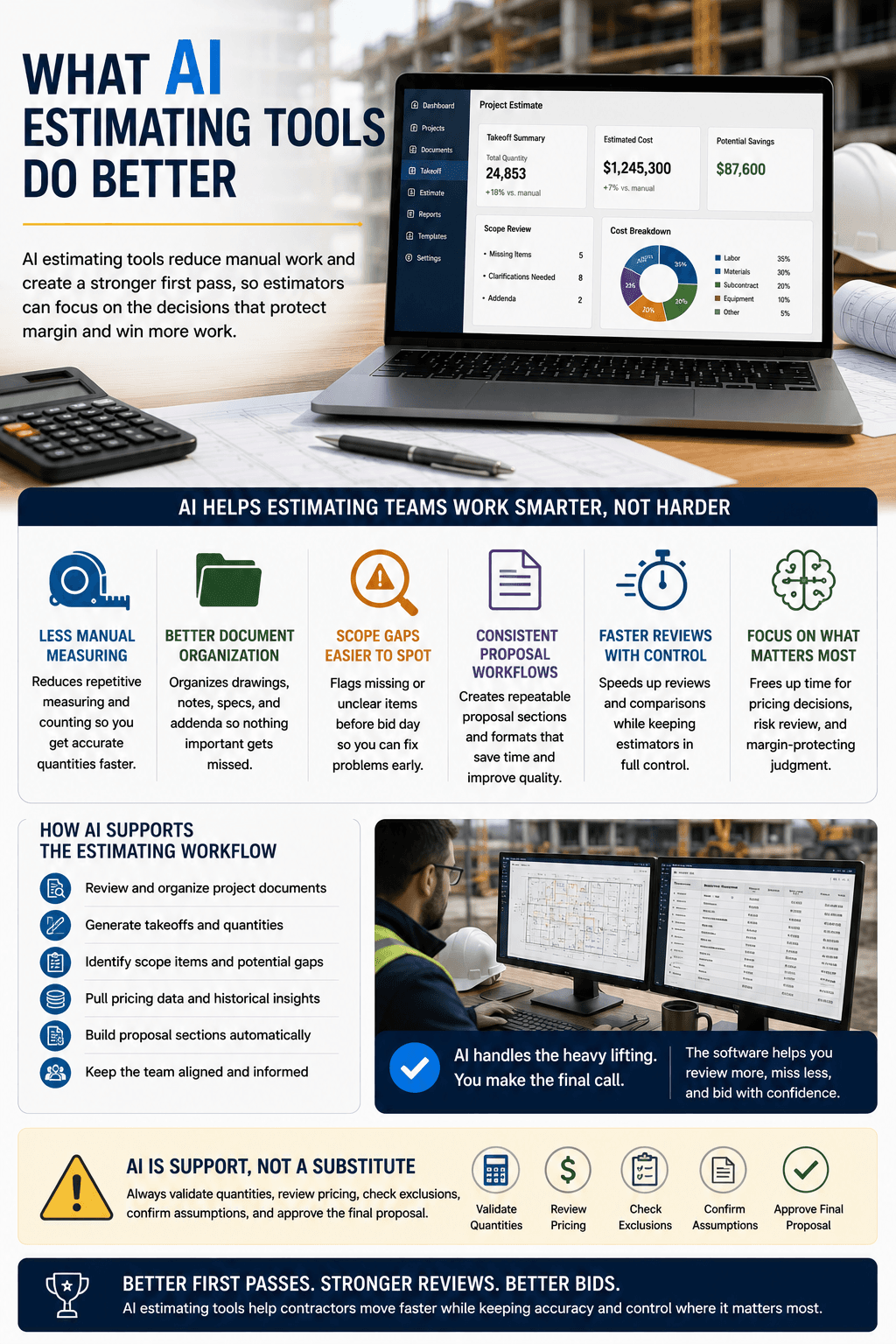
The biggest mistake is treating AI as a replacement for the estimator. It should be treated as support for the estimator. A contractor still needs to validate quantities, review pricing, check exclusions, confirm assumptions, and approve the final proposal.
Where Non-AI Estimating Tools Still Make Sense
Non-AI estimating tools still have a place. Some contractors have stable workflows, simple project types, experienced estimators, and low enough bid volume that a highly manual process is still manageable. A contractor with strong templates and clear internal review habits may not need AI immediately.
Traditional tools can also provide comfort and control. Many estimators like being close to the details. They want to measure, adjust, build, and review the estimate in a familiar environment. That is not wrong. In fact, strong manual control can be valuable when the scope is unusual, or the team has a very specific way of pricing work.
The question is not whether non-AI tools are useless. They are not. The question is whether they still fit the contractor’s current pressure. If the team is losing time to repetitive takeoff, missing scope in large document sets, struggling with revisions, or chasing follow-up tasks across emails, a more advanced workflow may make sense.
A non-AI tool can be enough when the process is already organized. It becomes limiting when the process relies too heavily on memory, manual tracking, and a single person holding everything together.
Comparison Table: Best Software Fit By Contractor Type
Different contractors need different estimating workflows. The right software for a residential remodeler may not fit a commercial subcontractor. The right tool for a solo estimator may not work for a team with sales reps, project managers, and managers all touching the bid.
| Contractor Type | Common Estimating Pain Points | Best Software Fit | Key Features To Prioritize |
|---|---|---|---|
| Residential remodelers | Fast customer expectations, repeated project types, proposal clarity. | AI-supported or template-driven estimating platform. | Repeatable workflows, proposal creation, scope notes, customer follow-up. |
| Roofing contractors | High lead volume, quick takeoffs, pricing consistency. | AI-supported takeoff and proposal system. | Fast quantities, templates, pricing review, revision tracking. |
| Flooring contractors | Area takeoffs, material waste, product options. | Takeoff-focused estimating platform. | Quantity review, material options, proposal clarity. |
| Painting contractors | Repeated scopes, labor assumptions, surface measurements. | Simple estimating and proposal platform. | Templates, pricing assumptions, fast proposal delivery. |
| General contractors | Multiple trades, documents, scope gaps, revisions. | AI-supported estimating workflow platform. | Document review, task management, scope tracking, approvals. |
| Commercial subcontractors | Specs, addenda, trade boundaries, pricing details. | AI-supported takeoff and scope review tool. | Plan review, scope alerts, pricing input organization, exclusions. |
| Specialty trades | Trade-specific scope and supplier pricing. | Flexible estimating platform with review controls. | Scope notes, supplier quote tracking, proposal language. |
| Small growing contractors | Outgrowing spreadsheets and inconsistent proposals. | Easy-to-use estimating platform. | Templates, task visibility, proposal consistency, simple adoption. |
| Multi-estimator teams | Version control, task ownership, review consistency. | Estimating workflow software with task management. | Assignments, status tracking, revisions, manager review. |
The best software fit should reflect the work the contractor sells, the team that builds estimates, and the types of mistakes that cause the most pain.
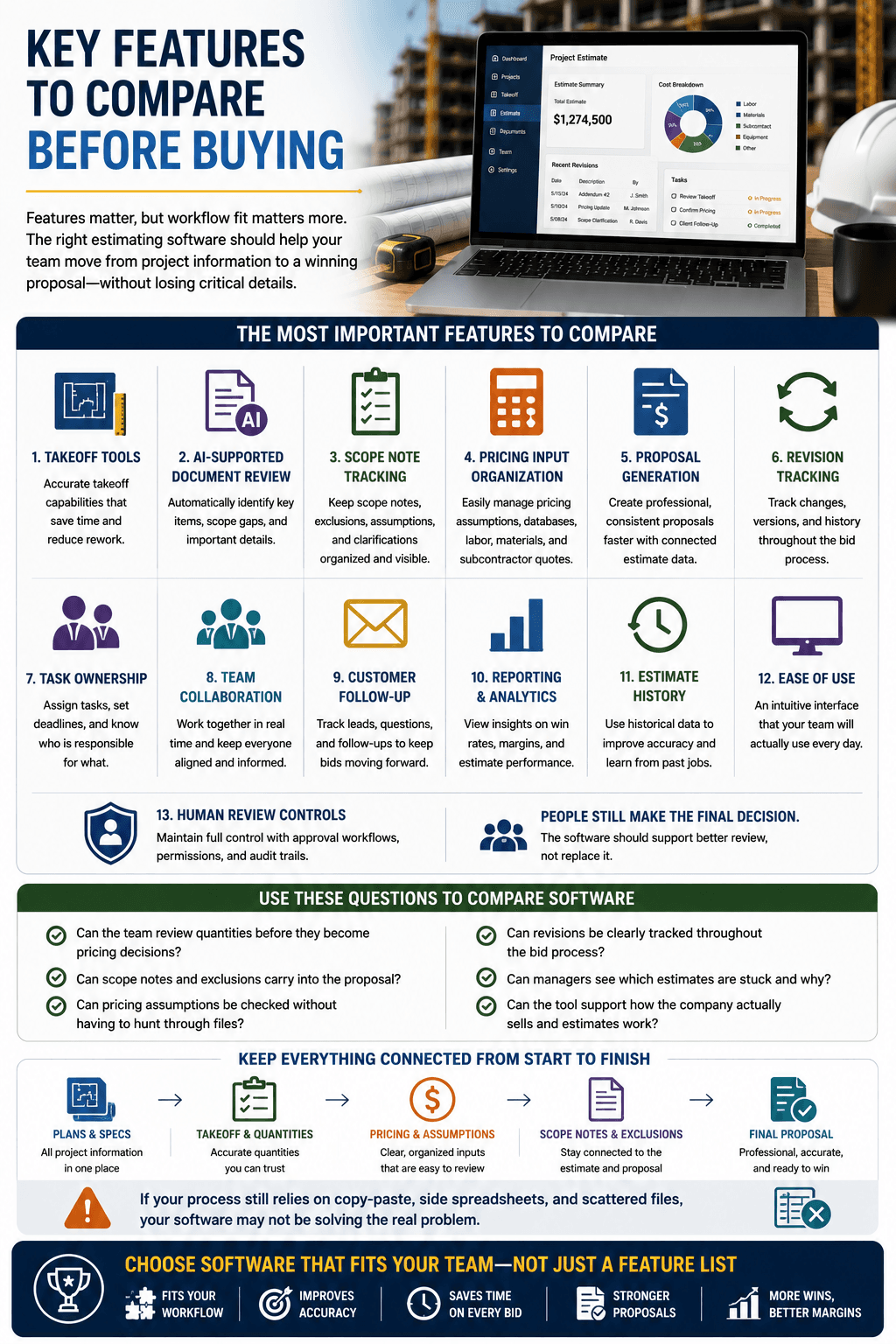
Key Features To Compare Before Buying
Contractors should not buy estimating software based on a feature checklist alone. Features matter, but workflow fit matters more. A tool can have a long list of capabilities and still feel clunky if it does not align with how the company estimates work.
The most important features to compare include takeoff tools, AI-supported document review, scope note tracking, pricing input organization, proposal generation, revision tracking, task ownership, team collaboration, customer follow-up, reporting, estimate history, ease of use, and human review controls.
The right system should help the team move from project information to final proposal without losing key details along the way. Plans, specs, scope notes, quantities, pricing assumptions, exclusions, and revisions should stay connected. If the estimate still requires constant copy-paste work and side spreadsheets, the tool may not solve the problem well enough.
Useful comparison questions include:
- Can the team review quantities before they become pricing decisions?
- Can scope notes and exclusions carry into the proposal?
- Can pricing assumptions be checked without having to hunt through files?
- Can revisions be clearly tracked throughout the bid process?
- Can managers see which estimates are stuck and why?
- Can the tool support how the company actually sells and estimates work?
Ease of use deserves serious attention. A powerful tool that nobody uses consistently will not improve the estimating process. Contractors should choose software that helps estimators work better, not software that adds another layer of admin.
Pricing And ROI: What Contractors Should Really Compare
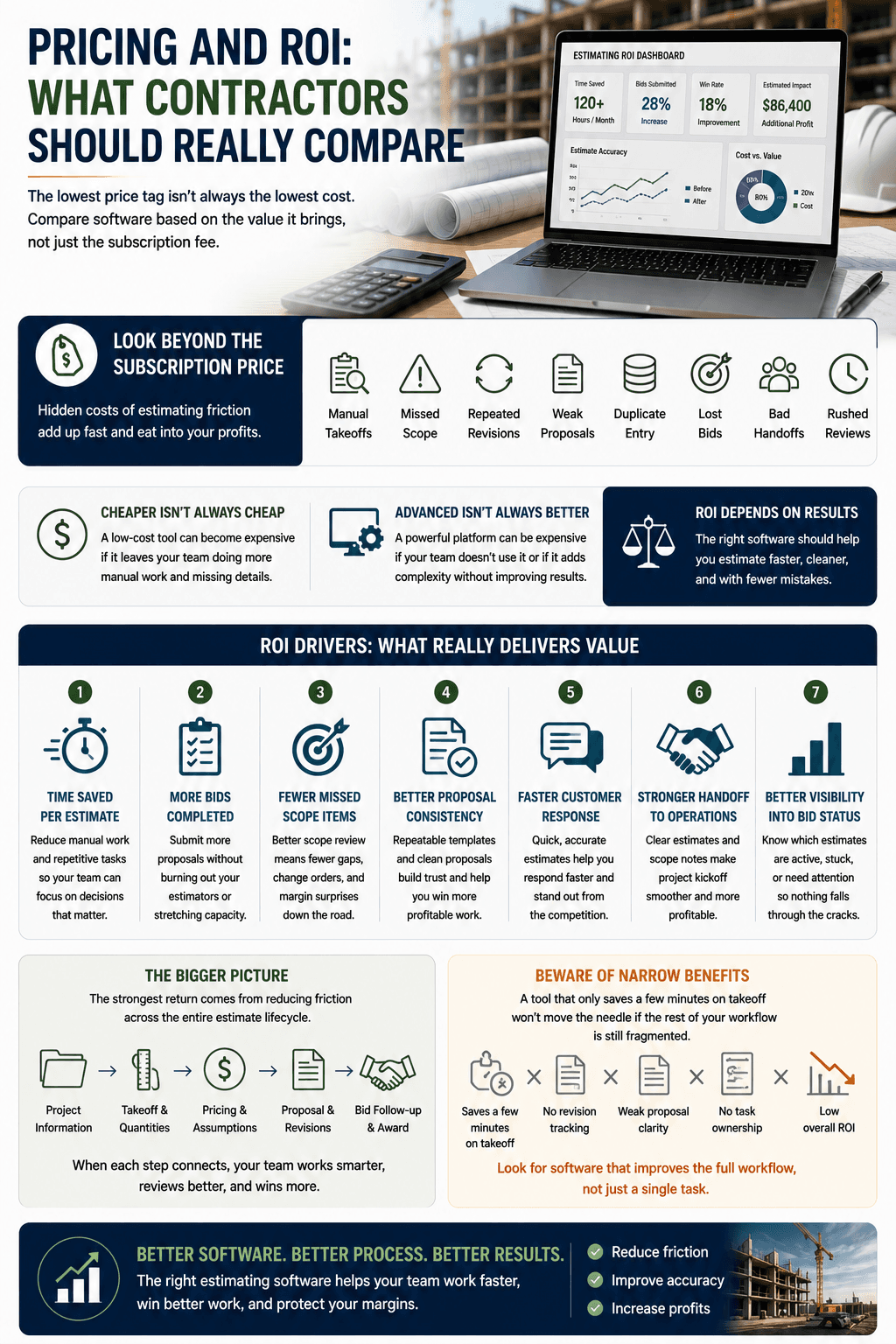
Software pricing matters, but subscription cost is only part of the real cost. Contractors should compare the cost of the software against the cost of estimating friction. Manual takeoffs, missed scope, repeated revisions, weak proposals, duplicate entry, lost bids, bad handoffs, and rushed reviews all have a price.
A cheaper tool can become expensive if it leaves the team doing too much manual work. A more advanced tool can also become expensive if the team does not use it or if it adds complexity without improving outcomes. ROI depends on whether the platform helps the contractor estimate faster, cleaner, and with fewer mistakes.
Contractors should consider:
- Time saved per estimate.
- More bids completed without burning out the team.
- Fewer missed scope items.
- Better proposal consistency.
- Faster customer response.
- Stronger handoff to operations.
- Better visibility into bid status.
The strongest return usually comes from reducing friction across the full workflow. A tool that saves a few minutes on takeoff but does nothing for revisions, proposal clarity, or task ownership may not create enough value. A system that improves the full estimate lifecycle can have a much stronger impact.
Common Mistakes Contractors Make When Comparing Estimating Software
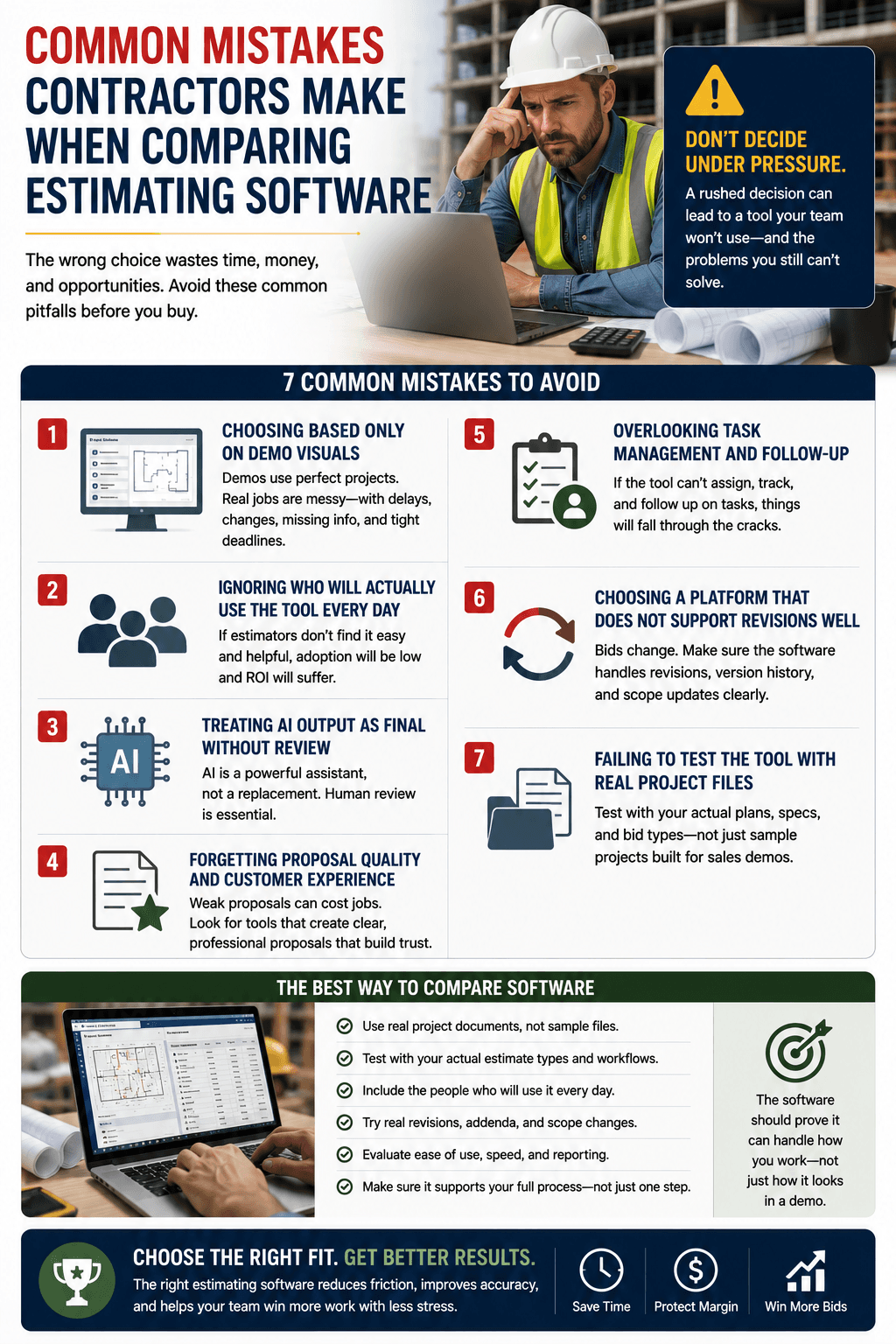
Contractors often make software decisions under pressure. They are tired of the old process, impressed by a demo, or trying to solve a single pain point quickly. That can lead to a poor fit if the team does not slow down and compare the software against real work.
One common mistake is choosing based only on demo visuals. A demo project is usually clean, organized, and built to make the software look good. Real contractor documents are messier. Plans change. Addenda arrived late. Customers ask for revisions. Suppliers miss deadlines. The software needs to handle that reality.
Other common mistakes include:
- Comparing features without mapping the estimating workflow.
- Ignoring who will actually use the tool every day.
- Treating AI output as final without review.
- Forgetting proposal quality and customer experience.
- Overlooking task management and follow-up.
- Choosing a platform that does not support revisions well.
- Failing to test the tool with real project files.
The best way to compare software is to use real examples. Contractors should test the tool with actual project documents, real estimate types, typical revisions, and the people who will use it daily. The software should prove it can support the company’s actual process, not just a perfect sample estimate.
Evaluation Checklist: Questions To Ask During A Demo
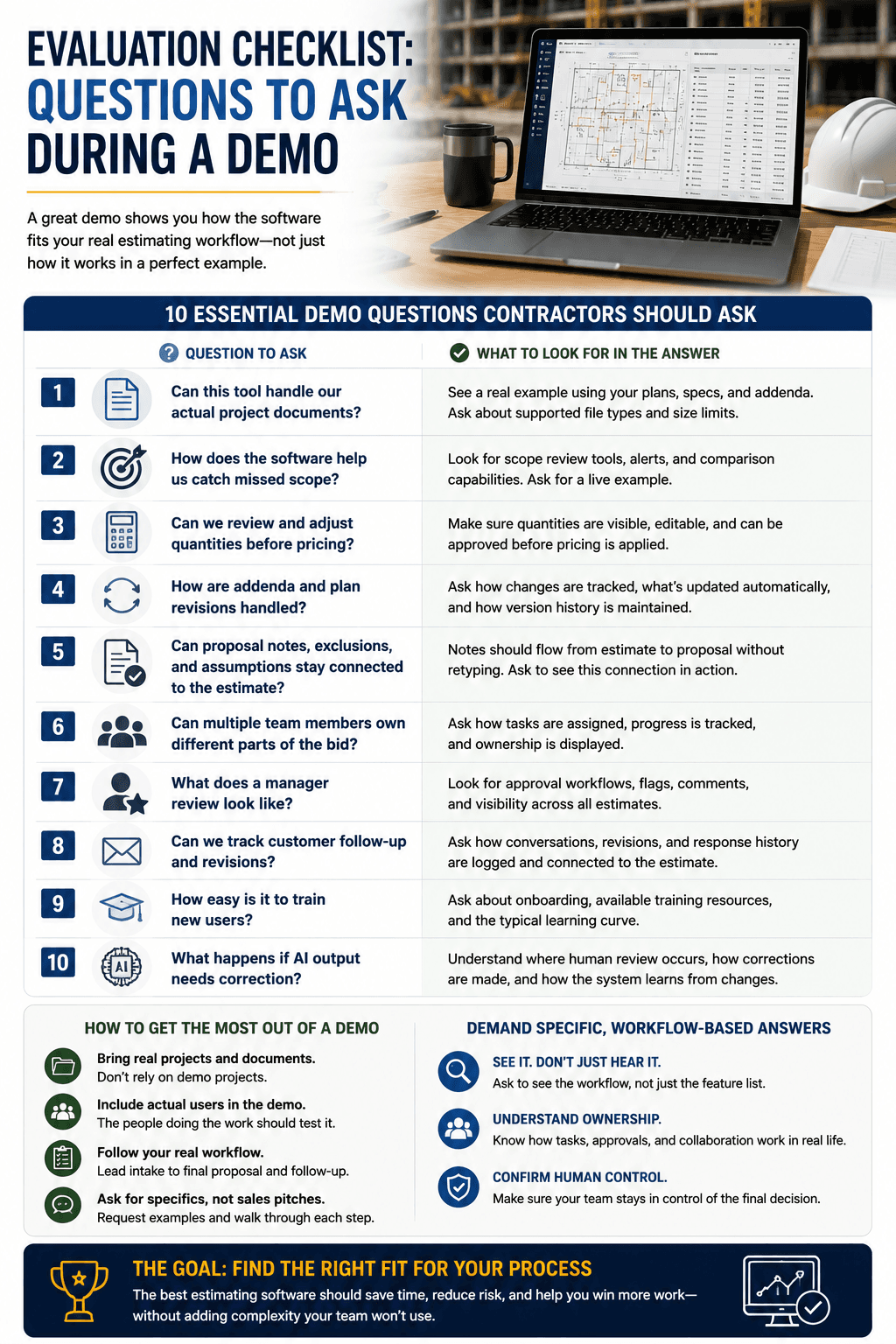
A good demo should answer real workflow questions. Contractors should not just watch the software perform. They should challenge it with the way their team actually works. That means asking about document handling, scope review, takeoff validation, proposal creation, revisions, task ownership, and final review.
Strong demo questions include:
- Can this tool handle our actual project documents?
- How does the software help us catch missed scope?
- Can we review and adjust quantities before pricing?
- How are addenda and plan revisions handled?
- Can proposal notes, exclusions, and assumptions stay connected to the estimate?
- Can multiple team members own different parts of the bid?
- What does a manager review look like?
- Can we track customer follow-up and revisions?
- How easy is it to train new users?
- What happens if AI output needs correction?
The answers should be specific. Contractors should ask to see the workflow, not just hear that the feature exists. If the tool supports revisions, ask how. If it supports team collaboration, ask what ownership looks like. If it uses AI, ask where human review happens and how corrections are made.
Final Recommendation: Choose Workflow Fit Over Feature Hype
The best estimating software is the one that reduces friction across the full estimating process. AI tools can be a strong fit when contractors need faster takeoffs, better document review, stronger scope support, cleaner proposal workflows, and improved task visibility. Non-AI tools may still work for simpler needs, lower volume, or teams with stable manual systems.
Contractors should not buy software just because it sounds advanced. They should choose a system that helps the team produce more accurate, more organized, and easier-to-review bids. A good estimating tool should make the process cleaner from the first project file to the final proposal. If it does not improve daily work, it is not the right fit.
Build A Cleaner Estimating Workflow With AI
If your team is comparing estimating platforms, start with the workflow you want to improve. QuoteGoat helps contractors move from scattered files, manual takeoffs, and rushed proposal reviews to a cleaner AI-supported estimating process. Explore how AI can help your team reduce manual work, improve review quality, and create bids that are easier to trust before they ever reach the customer.